
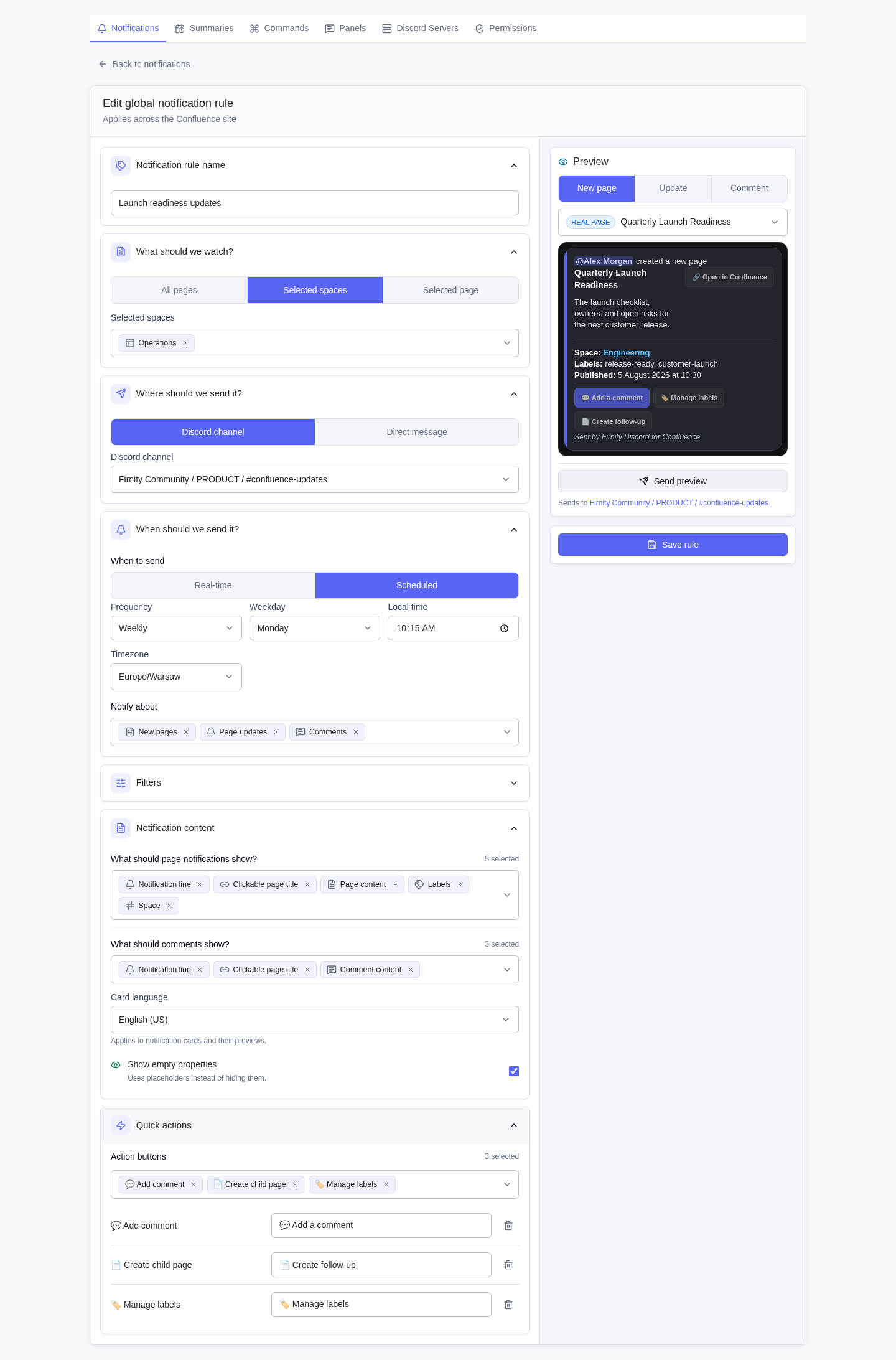
Surface the change
Send relevant page and comment activity to the Discord channels where work happens.
Built for Confluence teams that live in Discord
Route the right Confluence updates to Discord, find and share live pages, and turn reviewed discussions into durable docs.
Pre-Marketplace preview. Paid via Atlassian at launch.
01Confluence stays authoritativeLive pages and permission-aware actions
02Discord stays currentUseful updates where discussion happens
03Sharing stays intentionalPrivate results before public posts
Confluence notifications
Create global or space-level rules for new pages, updates, and comments. Set the destination, timing, filters, card content, and quick actions, then preview before enabling.
Why it matters
For Confluence admins and knowledge leads, the challenge is getting useful knowledge noticed, found, and reused.
Send relevant page and comment activity to the Discord channels where work happens.
Find live Confluence pages privately, then share only what belongs in the channel.
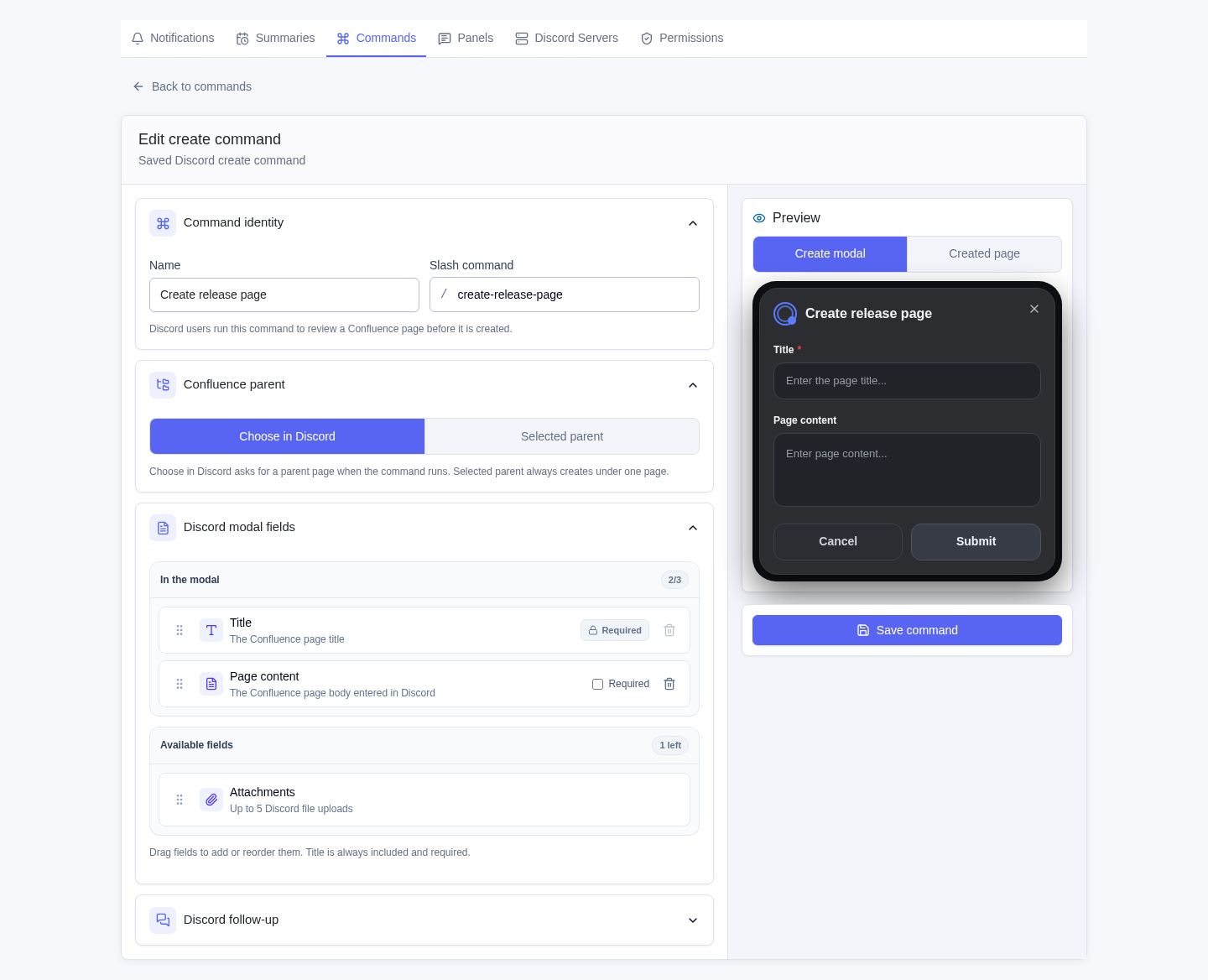
Review a Discord-to-Confluence draft before turning the conversation into a page.
Private-first discovery
Search live Confluence as the linked Discord member. Results stay private until that person chooses to share them.
Search from DiscordUse /find-page to search page titles first.
Read as the linked memberInteractive reads prefer the member's Confluence identity.
Choose when to postPrivate page results expose an explicit channel-sharing action.
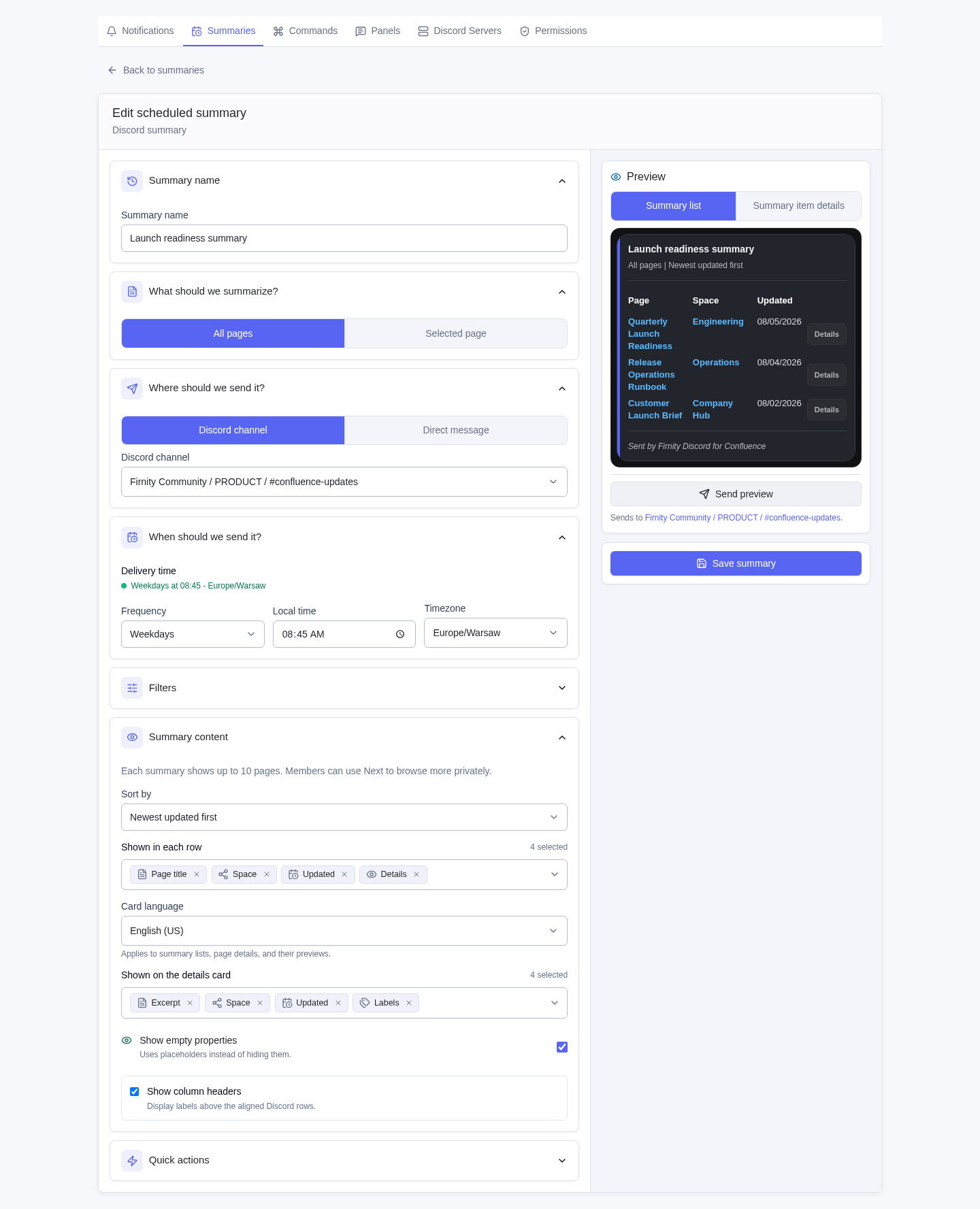
Scheduled knowledge
Build scheduled summaries by page scope, space, or label. Choose the fields, timing, destination, and card language with a live Discord preview.
Reviewed page creation
Configure the /create-page fields and destination in Confluence. The member reviews the private result before the app writes through their linked Atlassian identity.
How it works
The systems stay connected without turning Discord into a second Confluence.
At launch, install the app from Atlassian Marketplace and open its Confluence settings.
Add one or more servers, choose access policies, and select visible channels.
Set up notifications, summaries, knowledge commands, and reviewed page creation.
Simple pricing
Starts at $5 per month for up to 10 Confluence users, with lower per-user rates as your team grows.
Included in one edition
Pricing follows Confluence users, not Discord members.
Questions, answered
Current answers for the pre-Marketplace product and approved launch model.
Visit supportNot publicly. There is no Atlassian Marketplace listing yet. Request early access for launch updates.
For Confluence administrators and knowledge leads on product teams that work day to day in Discord.
Notification rules support page-created, page-updated, and comment-created activity. Rules can be site-wide or owned by one Confluence space, with source filters and Discord destinations.
Interactive Discord reads prefer the invoking member's linked Confluence identity and load live Confluence data. Command results stay private unless the workflow exposes and the member chooses an explicit public post action.
Yes. The app supports multiple connected Discord servers, with server-specific access policies and visible channel choices.
No. The app does not store a Confluence page index or persist full page bodies for search. Page discovery and loading use permission-scoped live Confluence requests.
Pricing starts at $5 per month for up to 10 Confluence users, with lower per-user rates for larger teams. Every feature is included in one Paid via Atlassian edition. See the full pricing table.
Read the Firnity Discord for Confluence documentation or use the support page. You can also email contact@firnity.com.
Get launch updates